Enable NFC Readers on Smart Phones
iphone NFC Activation
Good news for iPhone users: NFC is enabled by default—just hold the top of your phone near the chair tag to scan!
Android NFC Activation
Android users: To scan our new chair tags, you'll need to turn on NFC first.
These steps are from a Google Pixel 6 in Dark Mode, but menus may vary slightly by device or Android version. If stuck, search "enable NFC on [your phone model]" online.
But first, try the instructions below:
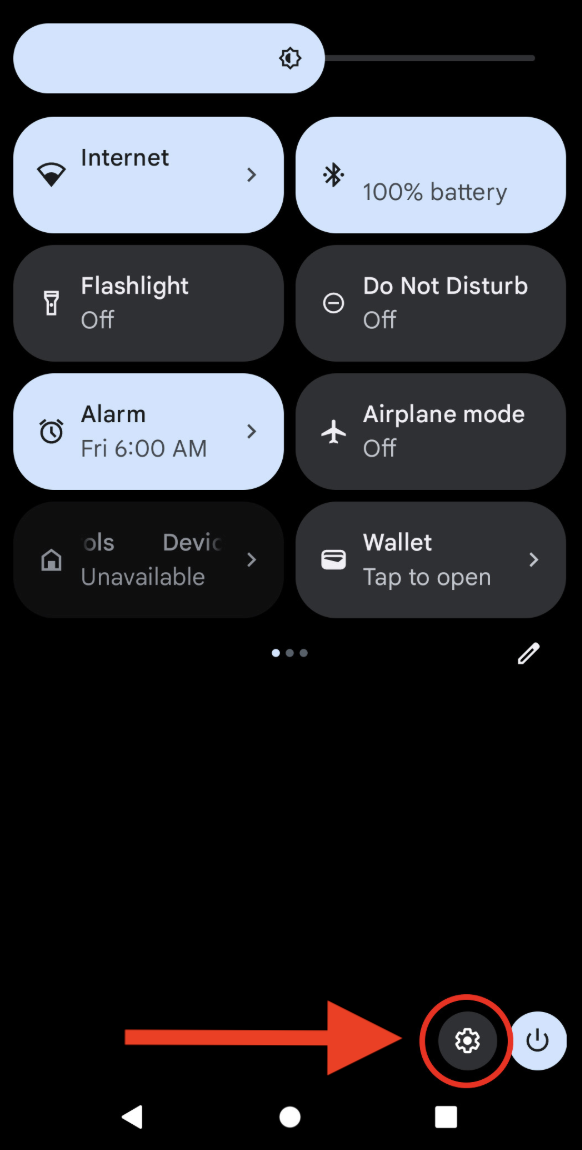
Step 1:
Swipe down from the top of your screen and tap the gear icon to open Settings.
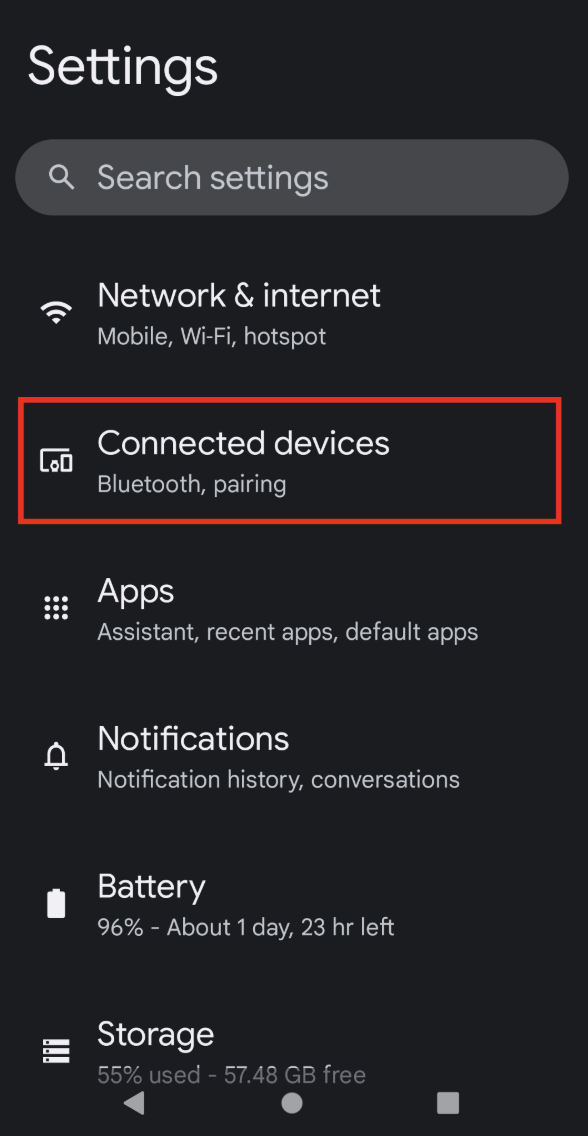
Step 2:
Go to “Connected devices”
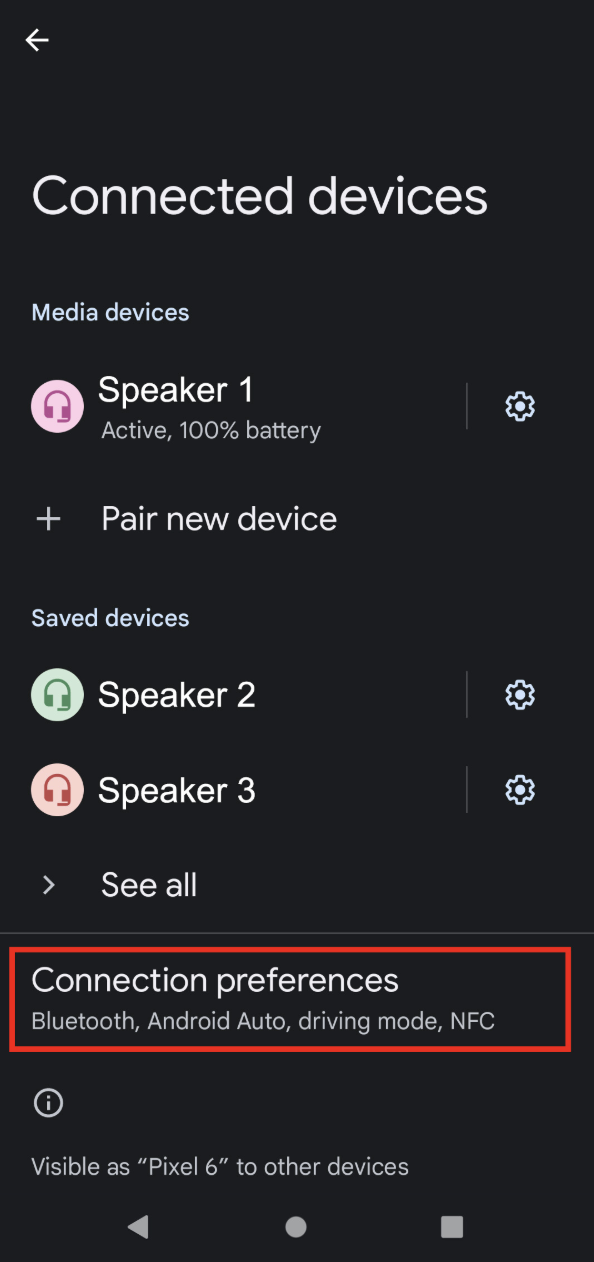
Step 3:
Go down to “Connection preferences”
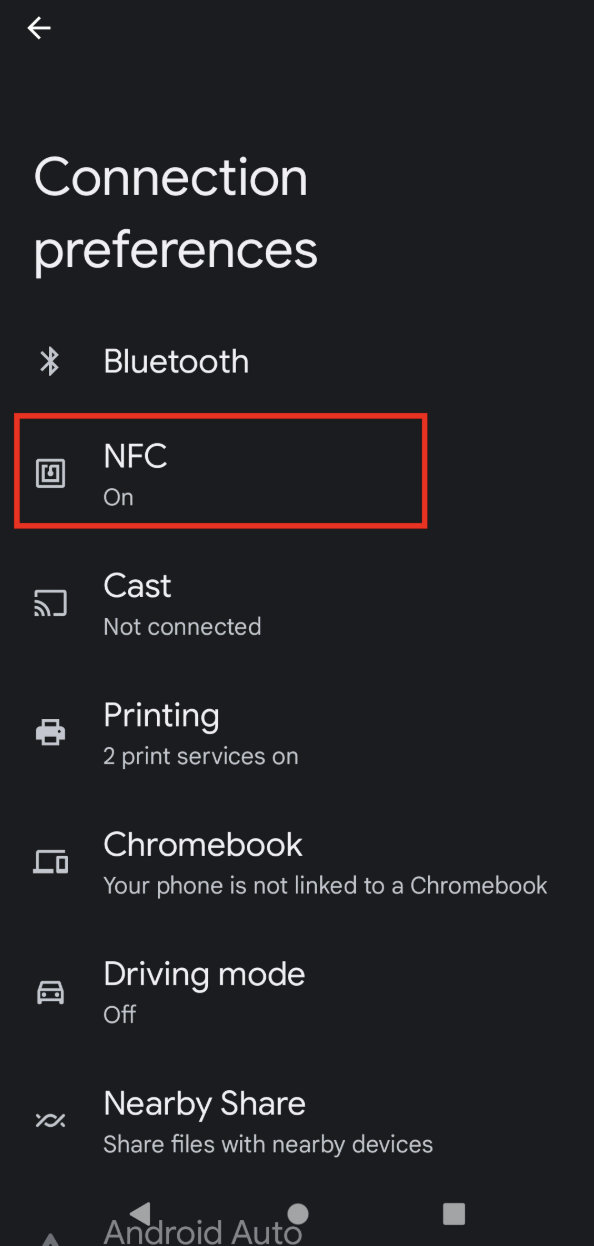
Step 4:
Go to “NFC”
(Unlike the screenshot, yours will probably say “Off” underneath it)
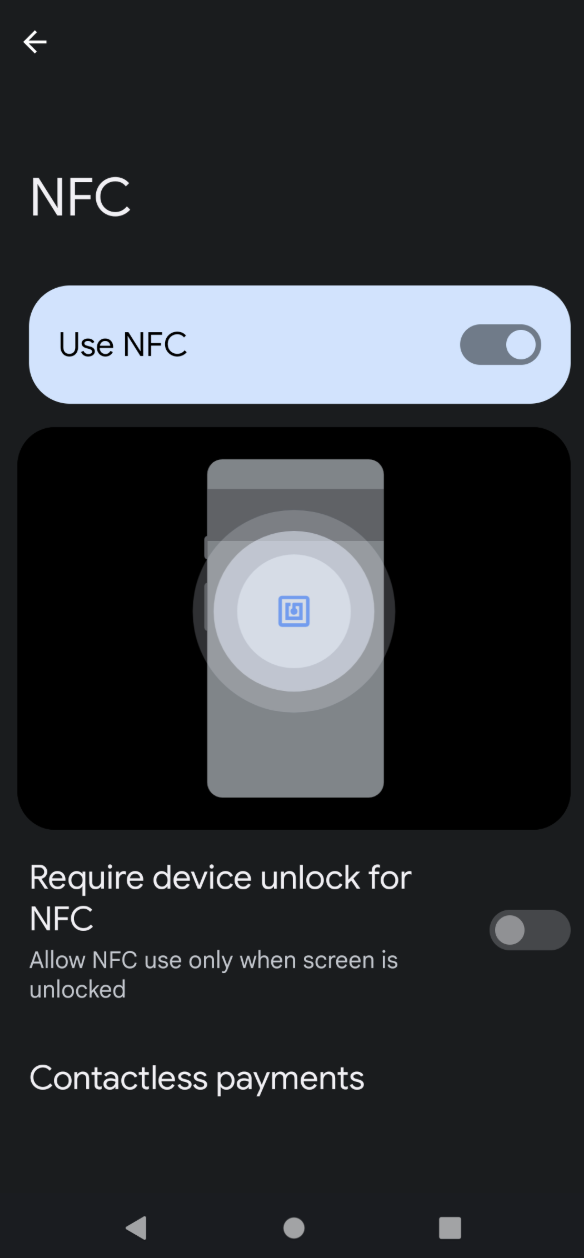
Step 5:
Toggle “Use NFC” ON (to the right, button lights up).
The helpful graphic on your screen shows where on your phone the NFC reader is installed (usually in the middle of the phone), so you know what part of your phone to hold up to the sticker.
Then: “Require device unlock for NFC” is entirely up to you:
- If you turn it on, you’ll have to unlock and open your phone before you can scan the sticker
- If you turn it off, you can scan the sticker while your phone is asleep, and you’ll still have to unlock it to use the sticker, but at least when you unlock the phone, it goes straight to the page.
That’s it! Congratulations!
Now that NFC scanning is enabled, hold your phone's back near the chair tag, and you're checked in—no typing required! It works best when it’s 2 inches or less away from the tag. Don’t worry, you can go ahead and physically tap your phone against the tag itself — the person in front of you won’t mind (probably).
Thanks for being part of our church family! Welcome to a faster way to stay connected and involved! Great work adapting to new technology — you’re fantastic and we’re grateful that you’re with us!